Decklight
Stop dragging boxes around. Describe the slide, your agent builds it.
Your deck is plain HTML: data only, no code, and versioned in git from the very first save. Your agent writes it, a headless browser checks it, and the speaker notes read themselves out loud.
npx decklight@latest init "My Talk"
That’s the install. Now tell your agent what the talk is about.
One real talk, from an empty folder to a published link. Click it and it talks. → next, Space for voice, ? every key. Open full screen ↗
01
Your agent writes it
Say what the slide should do. Go get a coffee. Press A when you want to argue about one slide. Here, Claude Code gets one prompt and edits the deck:
02
Built-in verification
Your slides get tested before your audience does. Clipped text, a missing picture or a [click] out of step fails the check, not the talk. Every theme has already passed its contrast gate.
03
Your deck is code
Diff it, blame it, revert the font somebody “just tried”. Decklight splits your work into tidy commits and writes their messages for you. Reviews arrive as a branch, or as one review file the reviewer sends you, if that’s how you roll. No accounts, no cloud, no “who has edit access?”.
04
The notes are the talk
Edit a sentence, the voice-over follows. Live narration, your own voice, a lip-synced face, an mp4. Nobody re-records anything, ever.
05
Make it yours
Plugins and design systems from a marketplace, and every SVG shape, colour and note still yours to nudge by hand.
The bits people screenshot
Go on, press things.
Diagrams that draw themselves
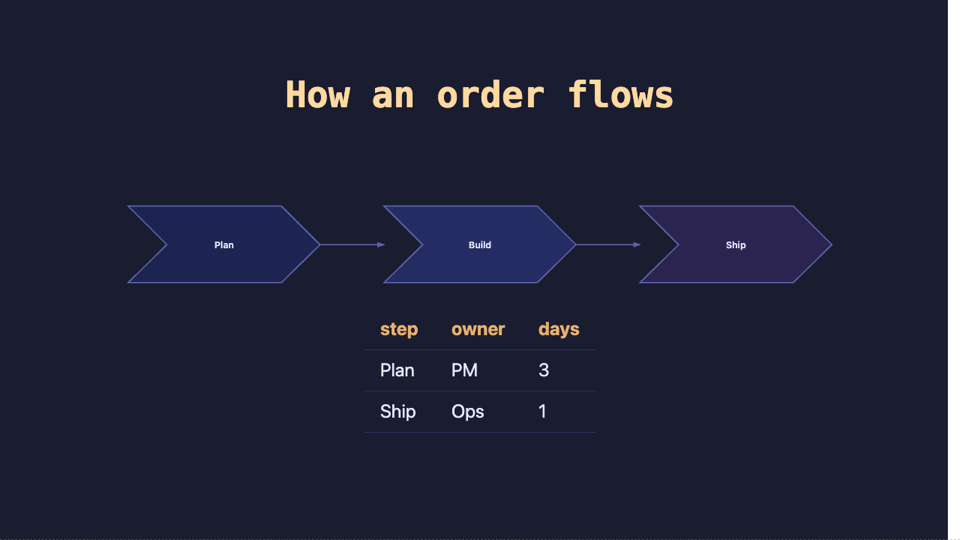
Native SVG that draws itself in. Scaled and perfectly crisp on every screen.
Thocky, creamy or clacky keyboard sound
Deeply satisfying keystrokes in every terminal on this page. Mute it, we dare you.
 talk.pptx → decklight import
Bring your old deck
Your .pptx, Keynote or Slides deck comes over. SmartArt arrives as a real diagram which you can edit. Export back to PowerPoint, or even PDF if you really need to.
46 themes, one key
46 built-in themes, every one contrast-checked. Press T until you’re happy.
Your brand, built in
Your company’s design system, referenced, never copied. Off-brand colours get flagged before anyone notices.
Command palette
All actions at your fingertips. Press /, type a few words, hit Enter.
How it stacks up
We like them. We just stopped making slides in them.
| Decklight | Reveal.js | Keynote | Google Slides | PowerPoint | |
|---|---|---|---|---|---|
| Your agent writes it | With the authoring contract | It’s HTML, nobody checks the result | No | Gemini drafts, you drag | Copilot drafts, you drag |
| It checks itself | Headless check before you look | No | No | No | No |
| Diffs and reviews in git | Commits written for you | Yes | Binary bundle | Version history, not a diff | Version history, not a diff |
| Notes become the voice-over | Live, and re-voiced on edit | No | Record it yourself, again | No | Record it yourself, again |
| Plugins and brand systems | Marketplace and design systems | Plugins | Themes | Add-ons | Add-ins and templates |
| One file that opens offline | One HTML file | A folder of assets | Needs Keynote | Needs a browser and an account | Needs PowerPoint |
| Imports the others | pptx, Keynote, Slides | No | pptx | pptx | Keynote and Slides via export |
| Drag-and-drop canvas | Double-click, drop, drag | No | Best in class | Yes | Yes |
| Ten people editing live | On purpose: reviews are branches | No | Via iCloud | Best in class | Yes |
- Use proper commit messages instead of “final_v7_REAL_final.pptx”.
- Real-time co-editing is great until ten people move the same box.
Also in the box
The long version of each lives in the README.
One file. Zero build.
Write slides, get a deck. bundle hands over a single HTML file.
Talk to it
Describe a slide in the side panel. Every edit is a commit you can read.
Or just click
Double-click text, drop a picture, drag a slide. ⌘Z forgives.
On brand by default
A company’s templates and tokens, referenced. Updates arrive on their own.
Real diagrams
Shapes, charts and graphics in native SVG. Never a screenshot.
Builds and Magic Move
Reveal step by step, morph between slides, draw diagrams in.
46 built-in themes
All contrast-checked. Or generate yours with a keystroke.
Terminals are live
Real recordings, replayed live. Thocky, creamy or clacky.
It talks
Live TTS, captions, a pop quiz, or your own voice one beat at a time.
It’s also a film
decklight video renders mp4, subtitles included. Re-voices what changed.
Reviews without accounts
Comments ride a git branch. No service, no chat, no seats.
Safe to open
A stranger’s deck lists its scripts first and runs without trust if you say no.
Bring your old deck
pptx, Keynote or Slides in. Charts as data, SmartArt as diagrams.
Hand a file back
Someone still wants “the file”? pptx or pdf, one palette row.
Backup slides and a stopwatch
Hide slides without deleting them. Learn which slide always runs long.
Publish anywhere
GitHub Pages in one command. Netlify, Vercel or any folder.
Everything is text
No binary formats anywhere. Agents and diffs read every byte.
The deck remembers
A silent snapshot every 30 seconds. H shows every version, one key restores.
One palette for everything
Press /, type a few words, hit Enter. Like VS Code, minus the extensions tab.
One command. Zero slides harmed.
Starting fresh
npx runs it, nothing to install. You get a deck and a skill your agent reads.
Starting from a .pptx
import brings it over, and anything that can’t cross is named, slide by slide.
Everything else
One CLI and one / palette away. The README has the long version.